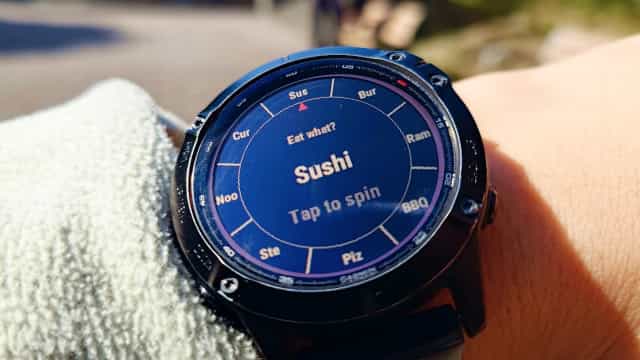
An Everyday Post-Work Problem: What Should I Have for Dinner?
As someone who eats out regularly, I often found myself paralyzed by options: bento boxes, convenience stores, ramen, healthy meals. Too many choices, no decision made. Small decisions like this show up everywhere: where to go on the weekend, whether to exercise tonight.
"Just leave it to fate." A quick glance at my watch, and the idea clicked: a fortune wheel, right on the wrist.
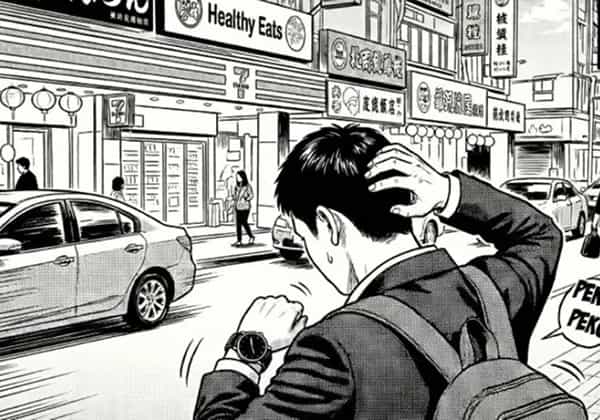
This Widget Is Meant to Be Grabbed and Used
I happened to have a Garmin watch on hand, so out of curiosity I decided to try building on Connect IQ. I started by reading the official documentation as the foundation for both design and implementation.
Garmin's UX guidelines put it clearly: "Great wearable apps stay out of the user's way and keep interactions to a minimum." This widget is meant to be grabbed and used in a moment, then put away.
Minimal Interaction
Keep only what's essential. Open it and spin.
Second-Scale Flow
Open, tap, get a result. The whole interaction wraps up in seconds.
Clear Feedback
Feedback is clear and immediate, while preserving the anticipation of the draw.
The Spin Is the Soul: Rotation, Deceleration, Vibration
Showing a random result instantly takes milliseconds and feels like nothing. The soul of a fortune wheel is in the wait: the pointer sweeping across options, speed gradually slowing, finally locking onto a result. I designed three layers of dynamic feedback around this feeling.
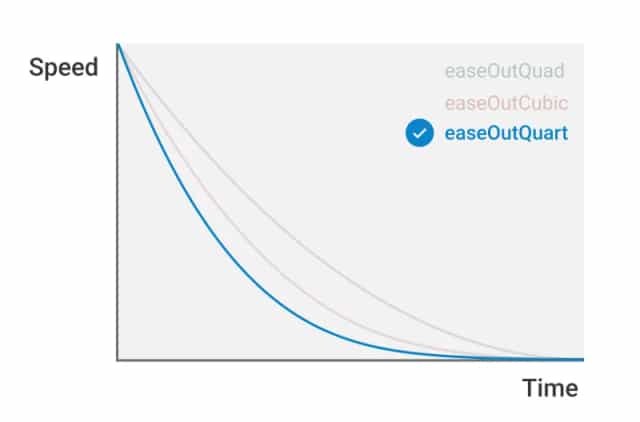
Deceleration Curve
Quartic easing extends the low-speed glide, keeping the spin suspenseful right before it stops.
Tick Vibration
Short haptic ticks simulate the tactile feeling of a pointer passing each option.
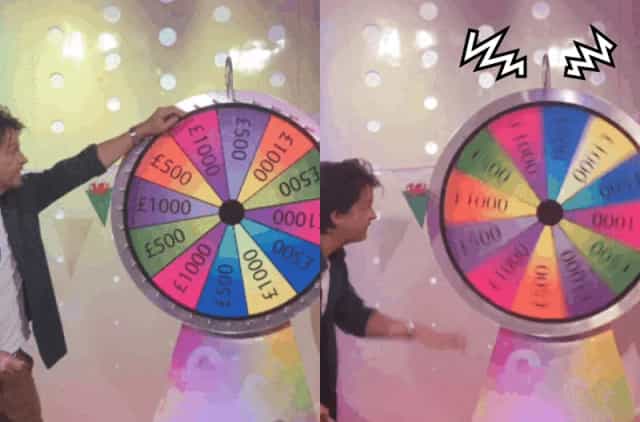
Result Reveal
A stronger haptic pulse and prominent animation give the final locked result more weight.
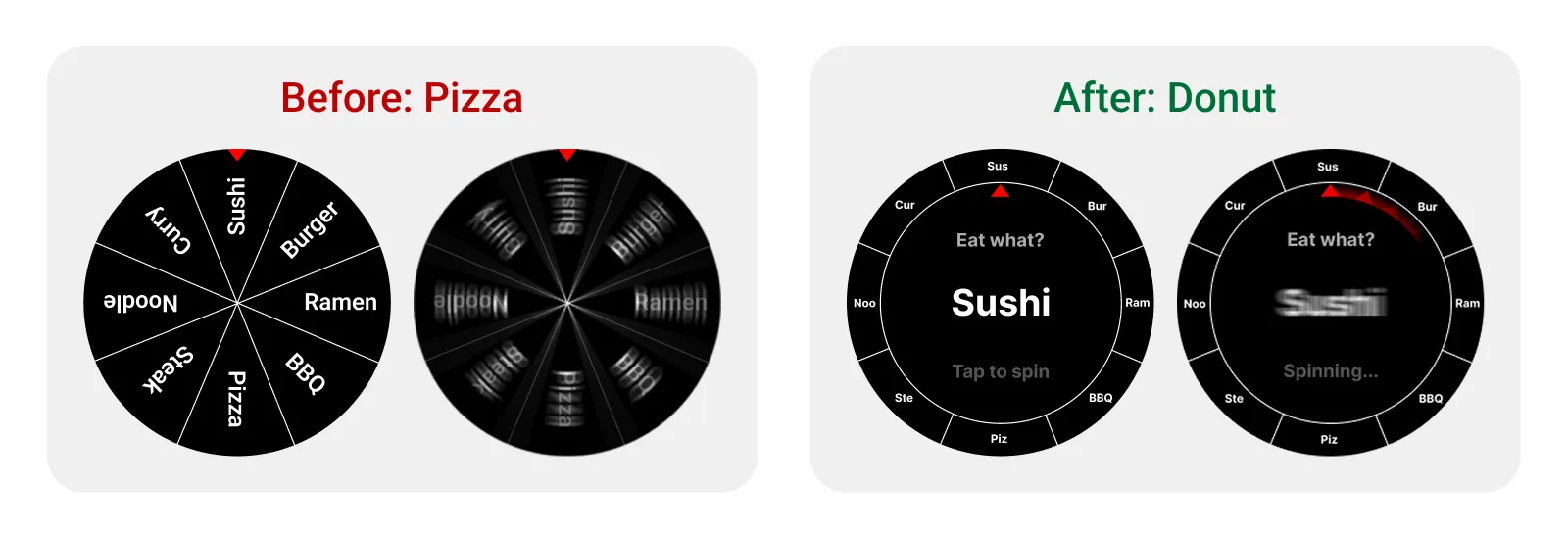
A Solution Under Constraints: From Pizza Slices to a Ring Pointer
The initial concept used a traditional pie-slice wheel: each option occupying a wedge, visually intuitive. But implementing it in Monkey C hit a wall. Rotating text inside wedges was difficult to handle, and the large screen updates during animation caused stuttering.
The solution flipped the concept: keep the wheel stationary and rotate a pointer around a ring instead. This dramatically reduced computation and smoothed out the animation. The center of the ring displays the full option name in sync, compensating for the ring slots that could only fit short abbreviations.
Launched and Humbled: Users Expected On-Watch Settings
v1.0 routed all configuration through the companion phone app. My logic: typing on a phone is easier, so it should be the better experience. The low ratings told a different story.
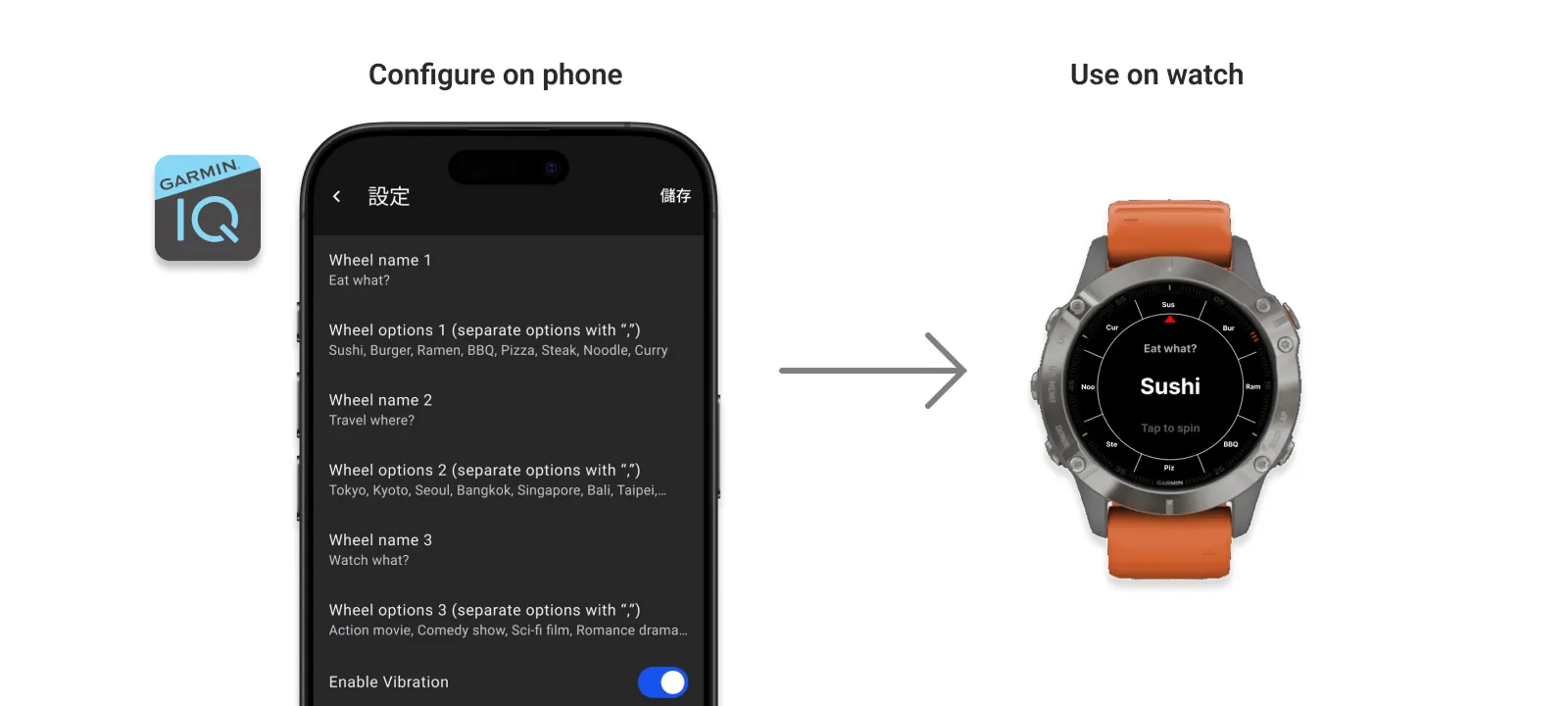
If it's a wheel you play on the watch, of course you should be able to change the options on the watch.
v1.1 added on-watch configuration, keeping the phone as the "faster recommended method." Development got noticeably more complex, but the settings flow became more intuitive and reviews started coming back better.
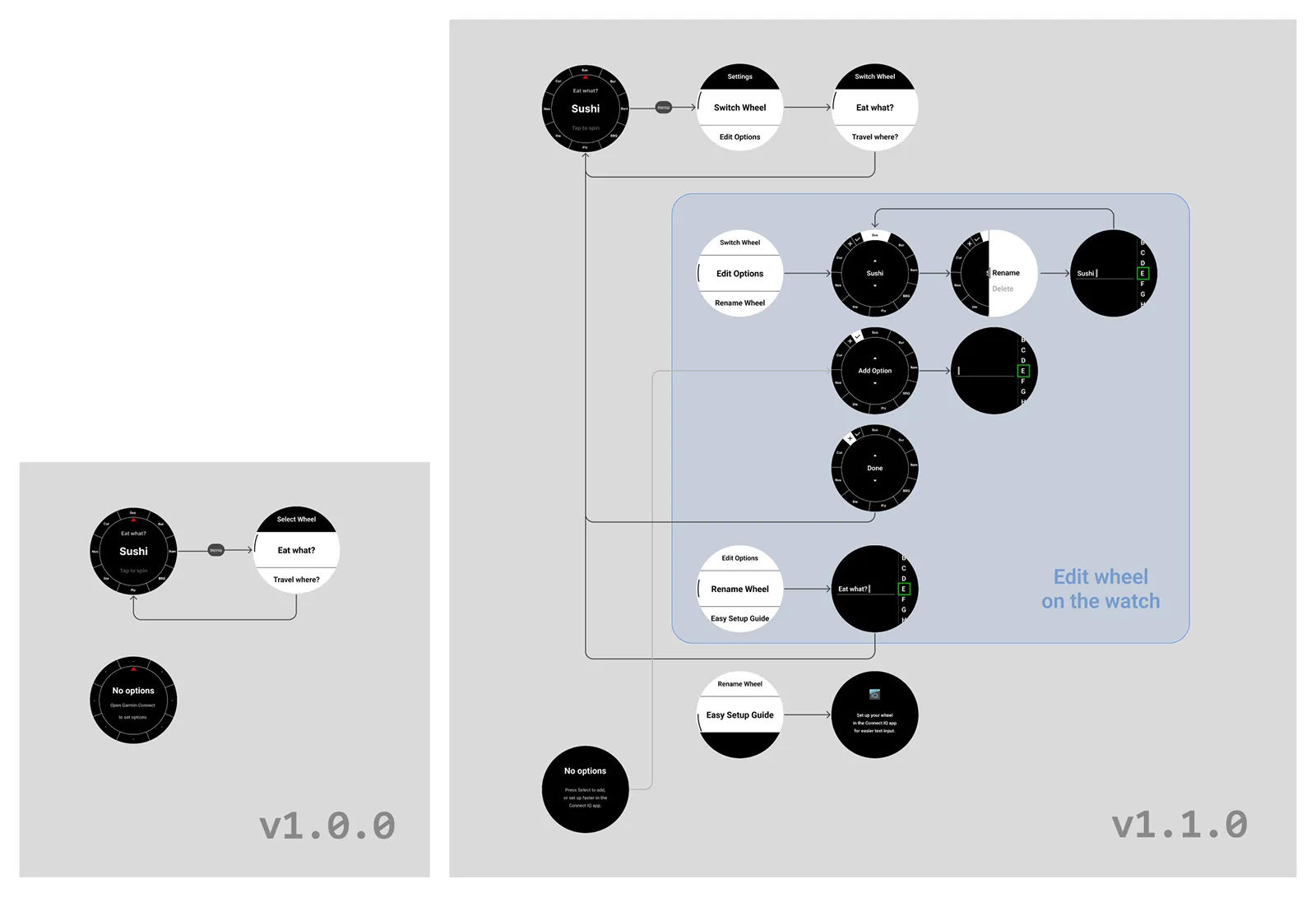
Compatibility Challenge
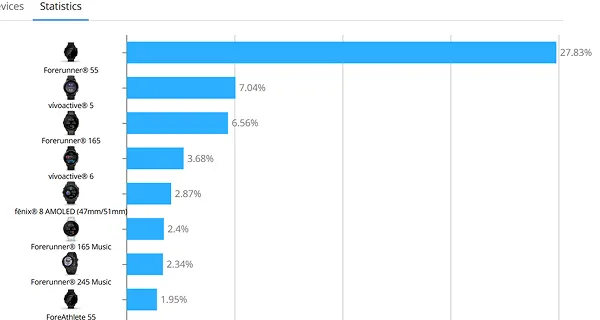
The dashboard showed that about a quarter of downloads came from Forerunner 55. This older device doesn't support the SDK's built-in text input component, so I had to build a compatible input solution to make sure those users could configure options on the watch too.
Cover Art Matters
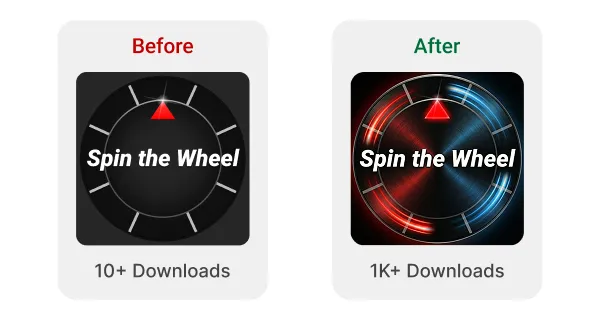
After fixing the settings flow, I also swapped in a more eye-catching cover image. Downloads picked up noticeably. The effect was way more significant than I expected.
Closing: Giving Small Things Soul
This widget went through a full iteration: from inspiration, to defining interaction principles, to designing and refining the experience, to building and launching it. The reviews afterward showed me I had guessed wrong about how users would set it up, and I rebuilt that flow to match what they expected.
I genuinely enjoyed the process of giving a small thing real character. I'll keep iterating to make it smoother and more complete.