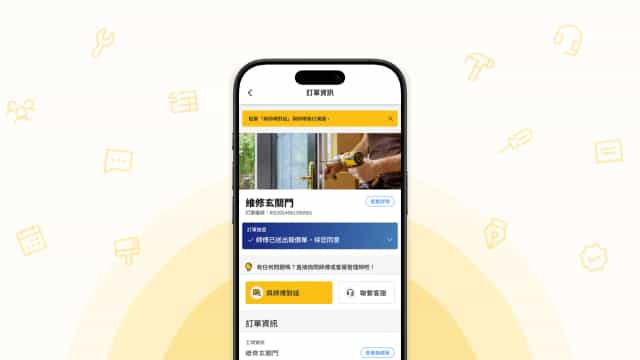
How TigerMaster Works
TigerMaster is a home repair matching platform where customers submit repair requests through the app and get matched with suitable contractors.
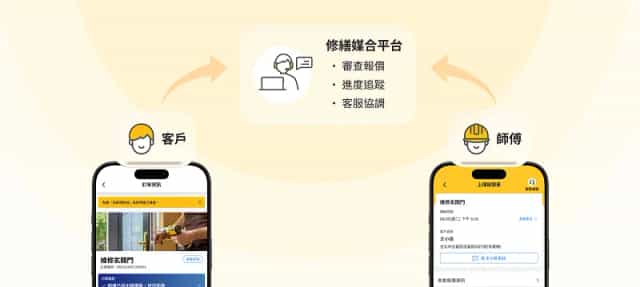
The platform steps into every order as a third party: reviewing whether quotes are clear and complete, tracking construction progress, and having customer service help both sides communicate. That makes traditional repair work less opaque and reduces disputes.
The Reality of Resource Constraints
The engineering team was lean and almost entirely committed to building an in-house commerce system, a large project with a long development cycle that consistently pushed app updates aside. Most improvements, even when design was finished, couldn't get scheduled unless a critical bug was threatening operations.
This pushed me to shift strategy and focus on changes that were low-risk and fast to execute.

Design Strategy: High-Frequency Pain Points, Low-Risk Changes
With the engineering team fully committed to the commerce platform, the window for app work was minimal. My strategy was to focus on the issues customers asked about most and prioritize pure interface adjustments (information display, helper text) that avoided database or backend changes, keeping implementation risk low.
High-Frequency Pain Points First
Prioritized issues by customer service inquiry frequency, solving the problems most users encountered first.
Low-Risk Changes
Focused on frontend-only adjustments, avoiding database or workflow changes to keep implementation risk low.
Gradual Expansion
Started from single-page fixes and expanded gradually to cross-page experience improvements.
Joining the Engineering Side
To get improvements into users' hands, I began participating in Flutter implementation as a collaborator and used Claude Code to speed up code comprehension and test changes.
This gave the design side a clearer picture of the app's architectural constraints and a better sense of which improvements could ship with a small tweak versus which required significant engineering work. Design and development conversations became easier to align, and improvements could keep moving forward.

Case 1: Making Customer Service Chat Easier to Find
Each repair order has a three-way chat room between the customer service agent, customer, and contractor, used for communication and documentation throughout the repair process. In the platform's early days, when support capacity was limited, the entry point was intentionally kept hidden. But as the user base grew, support staff often had to call users and walk them through where the entry point was and how to use it.
Approach
- Worked with the customer service team to map the order flow and identify the moments where support was most needed.
- Increased the entry point's visibility on pages that required proactive support, keeping it accessible but unobtrusive elsewhere.
- Given the platform's older user base, added plain-language text labels alongside icons to improve clarity.
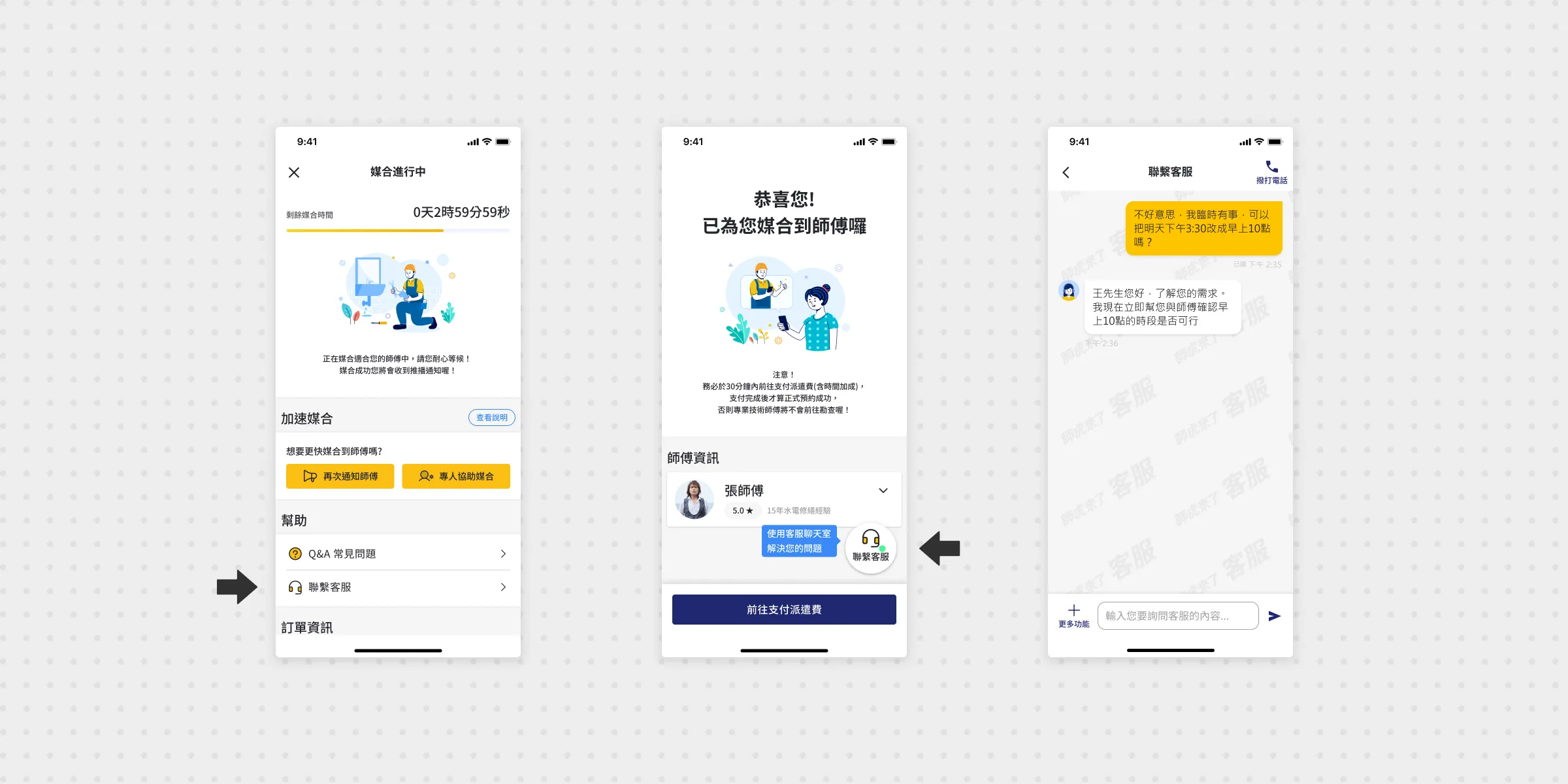
Fewer users got lost looking for the chat room, and support became easier to reach.
Case 2: Redesigning the Quote Unit Selector
Contractors fill in work items, quantity, unit, and unit price when submitting a quote. The original unit picker used a CupertinoPicker scroll drum with 24 options, making selection tedious. The first option, "式" (a catch-all unspecified unit), was too vague and frequently resulted in opaque quotes that reflected poorly on the platform's transparency.
Approach
- Replaced the scroll picker with a full-view list so all options are visible at once.
- Organized units into categories (length, area, etc.) to speed up selection.
- Added an interface prompt encouraging contractors to choose a more specific unit when "式" is selected.
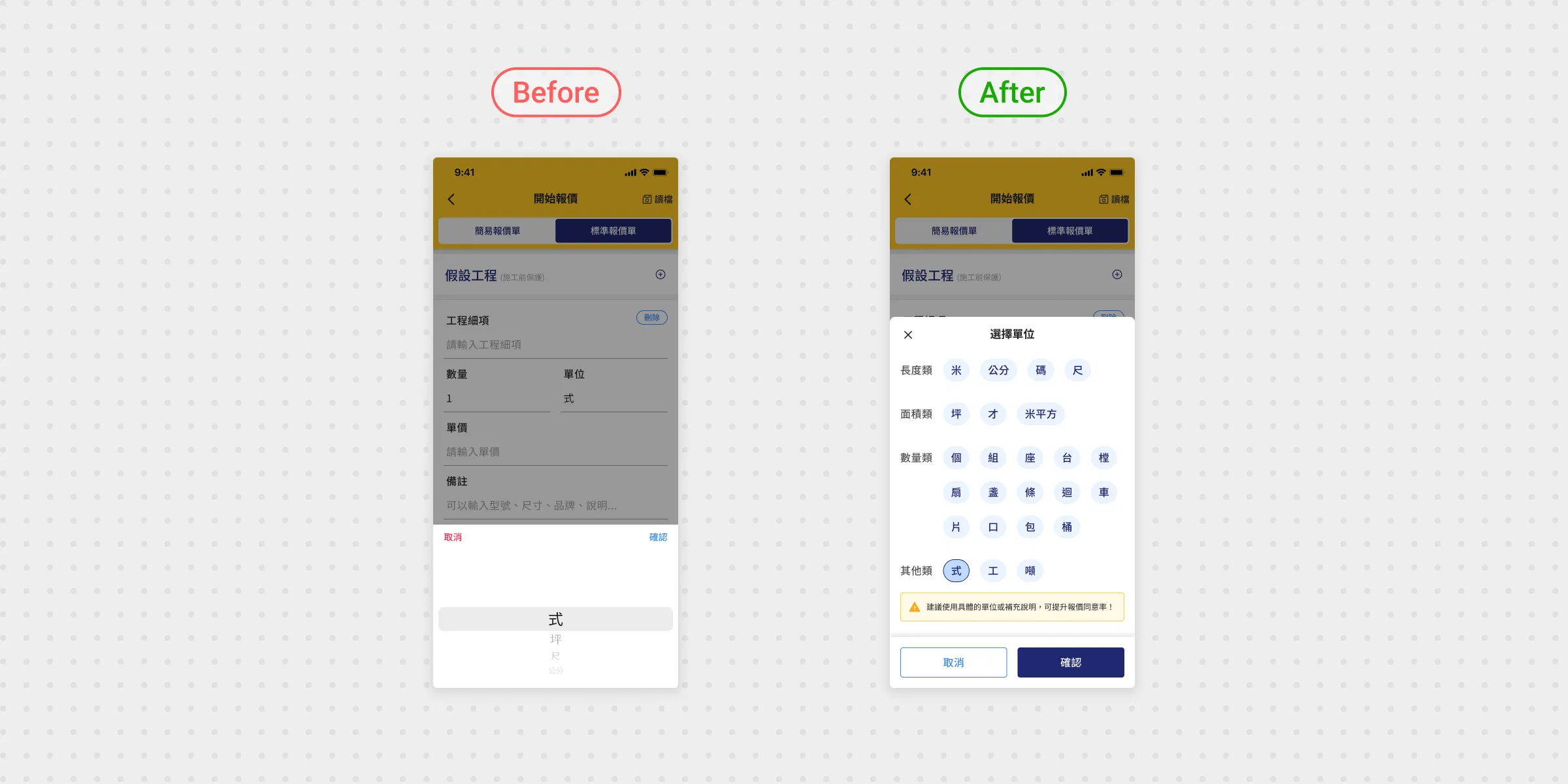
Unit selection became faster and clearer, with less reliance on the vague "式" unit.
Case 3: Expanding Electronic Invoice Options
A single order can involve multiple payments (dispatch fee, deposit, final payment), each requiring a separate invoice. Customers may also want different issuance methods at different stages. Because the original flow only supported two methods and didn't allow mid-order changes, invoice errors were common and the support team regularly had to step in.
Approach
- Worked with engineers to clarify the ezPay invoice API integration spec.
- Expanded issuance options to five methods (member carrier, mobile barcode, national ID certificate, corporate invoice, and donation), with support for saving preferred invoice settings.
- Enabled invoice settings to be updated and confirmed at each payment stage, reducing errors.
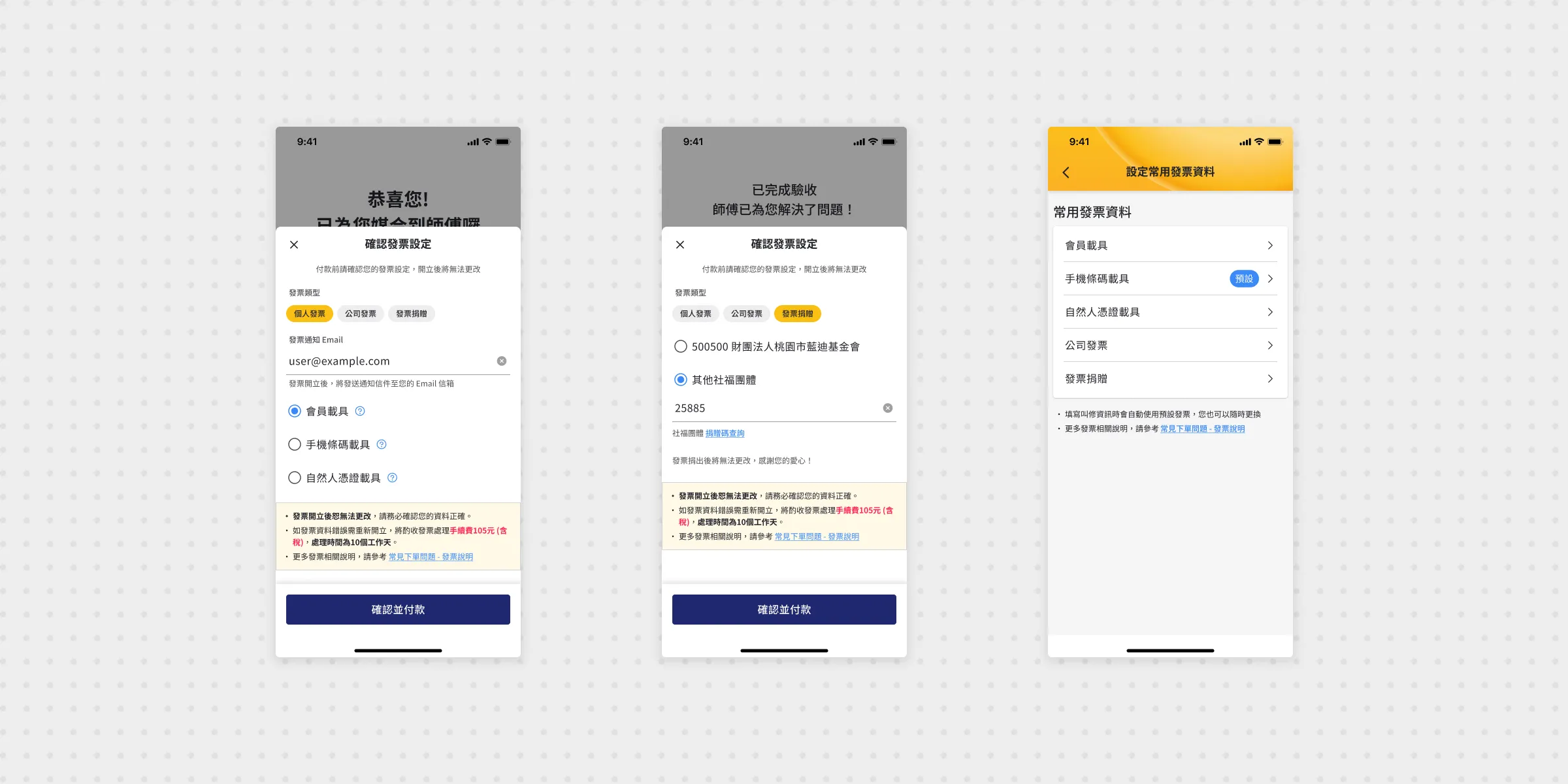
Customers could update invoice settings themselves, reducing support intervention.
Reflection: Constraints Don't Disappear, but There's Always a Way Forward
In this project I worked under real resource constraints and still looked for ways to keep the experience moving forward:
- Prioritizing by pain point frequency
- Increasing the odds of implementation by choosing low-risk changes
- Joining the implementation work and using AI to understand constraints and costs faster
The biggest shift for me was in how I think about design value. Under constraints, I have to work out which tradeoffs are realistic so the solution actually gets built.