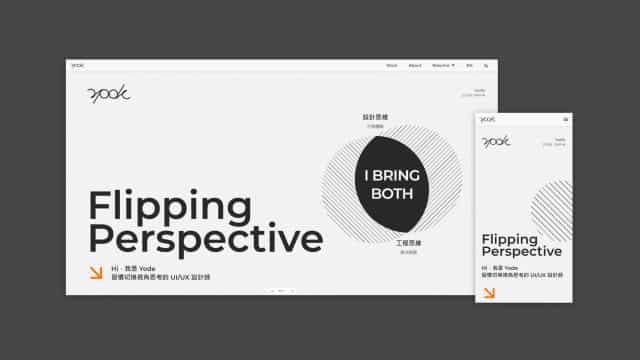
Figma Sites got me online fast, but I wanted more
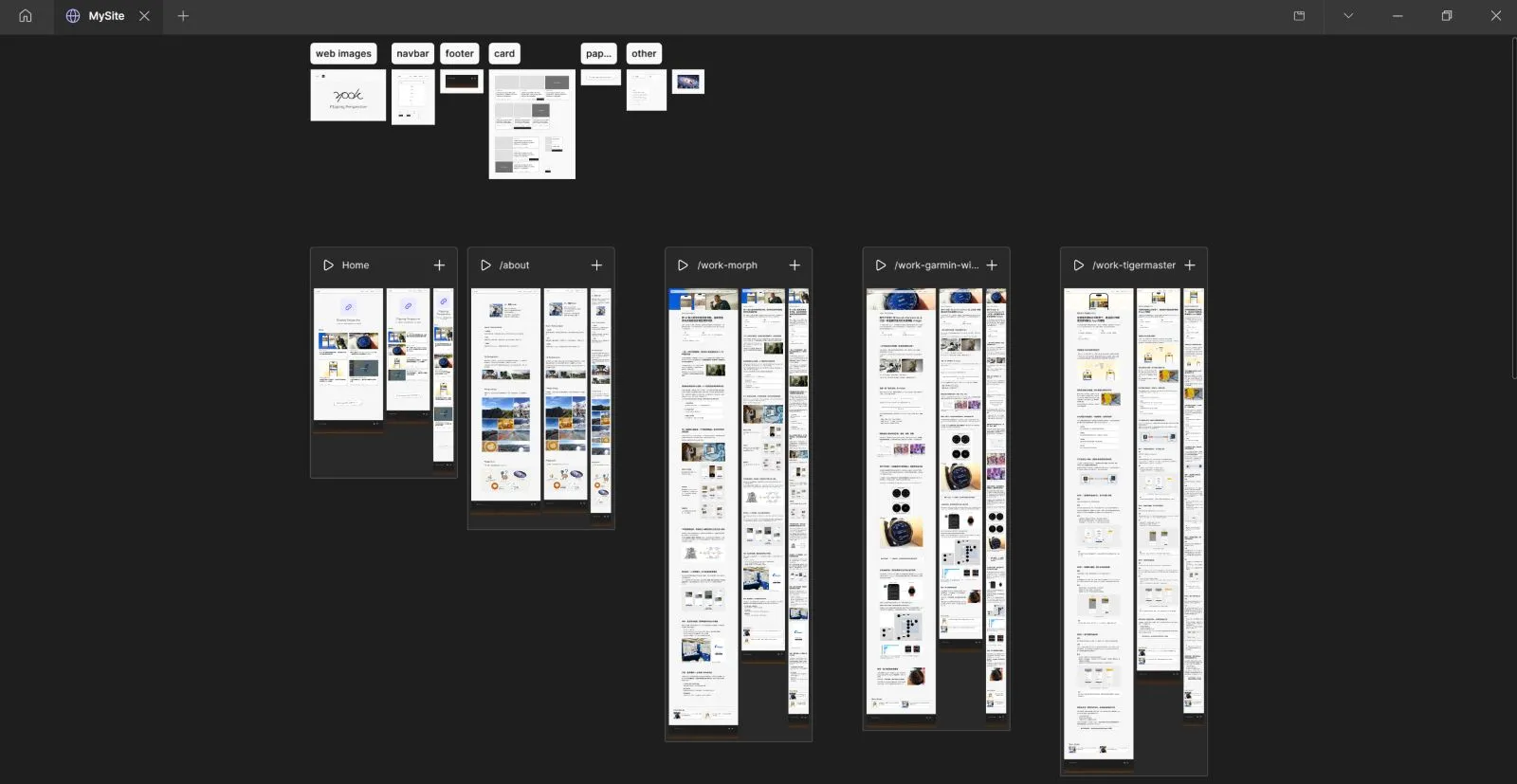
I started building my portfolio in late 2025, picking Figma Sites to move quickly. It delivered on the design-as-website promise, but after a while I started running into walls:
- Adding language and theme switching was painful, requiring duplicate pages
- Managing content would get unwieldy as the portfolio grew
- Interactive effects took real effort and were inflexible
- It didn't play well with AI tools
Static display was good enough, but anything beyond that felt like fighting the tool.
Time to move.
Picking the stack, building with AI
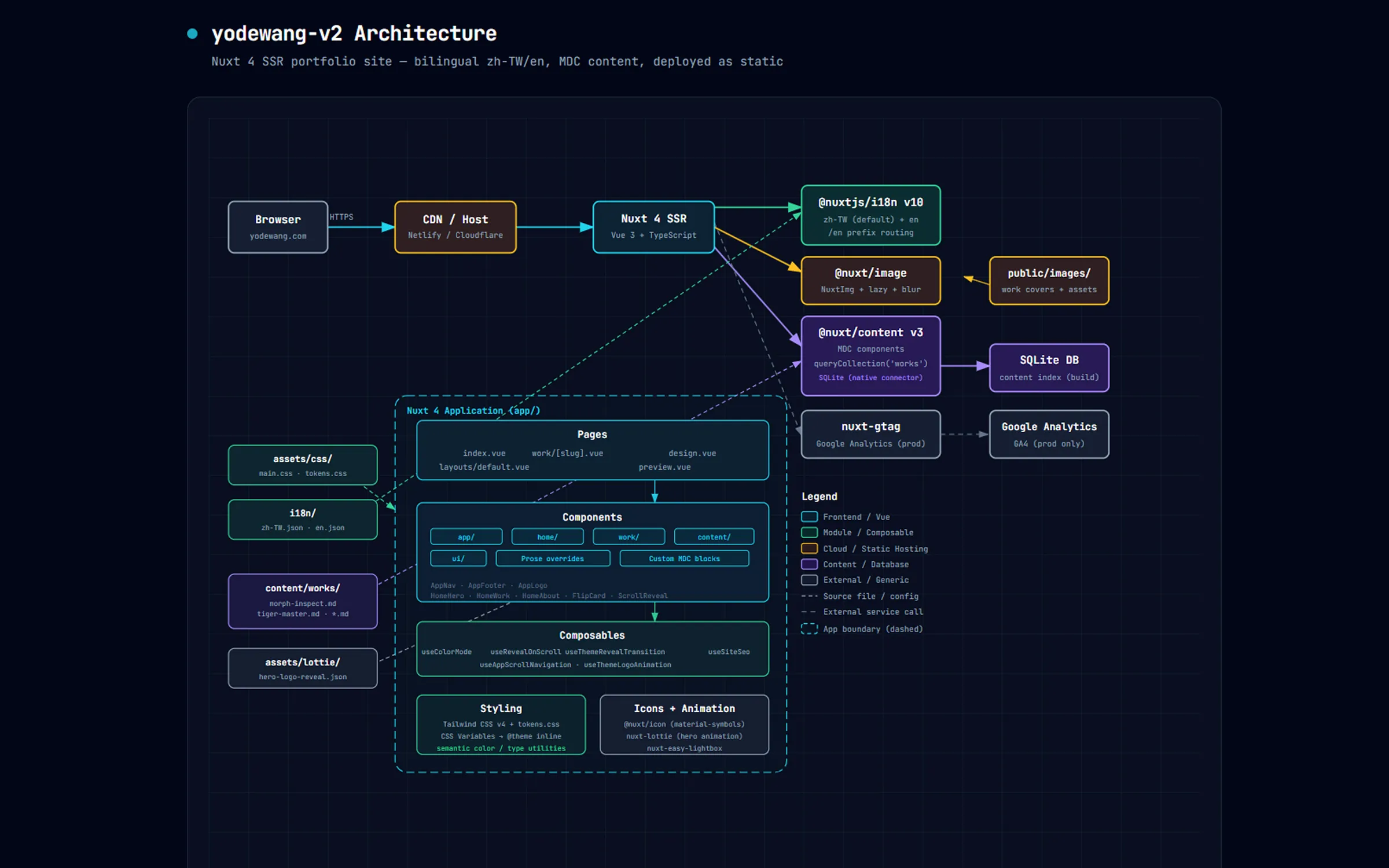
I'm comfortable with Vue.js, and I wanted to write case studies in Markdown and have them render automatically. That pointed me toward three tools:
- Nuxt 4: Full-featured framework, native SSR, fast to get started
- Nuxt Content: Write in Markdown, get rendered pages, content stays manageable
- Tailwind CSS v4: Flexible token system, easy to build and maintain a design system
AI was in the loop the whole way through. I directed from the back:

Claude Code
- Project architecture
- Debugging
- Copy editing

Codex
- UI component work
- Interaction details
- Fast for iterative tasks

ChatGPT Image 2
- Visual ideation
- Generating reference images to converge on a direction
The division was figured out as the project went on. I ran Claude Code as the primary, Codex as support. Claude Code was solid early: setup, architecture, package installs. As the project grew and UI edits and bugs piled up, Codex was more likely to get it right in one shot. (Or maybe I just hit a Claude Code off-day 🤔)
To keep Claude Code oriented as the project grew, I kept CLAUDE.md updated throughout, logging the latest component naming rules, routing structure, and style conventions so the AI always had accurate context.
Since I was moving anyway, I pushed the visual direction further
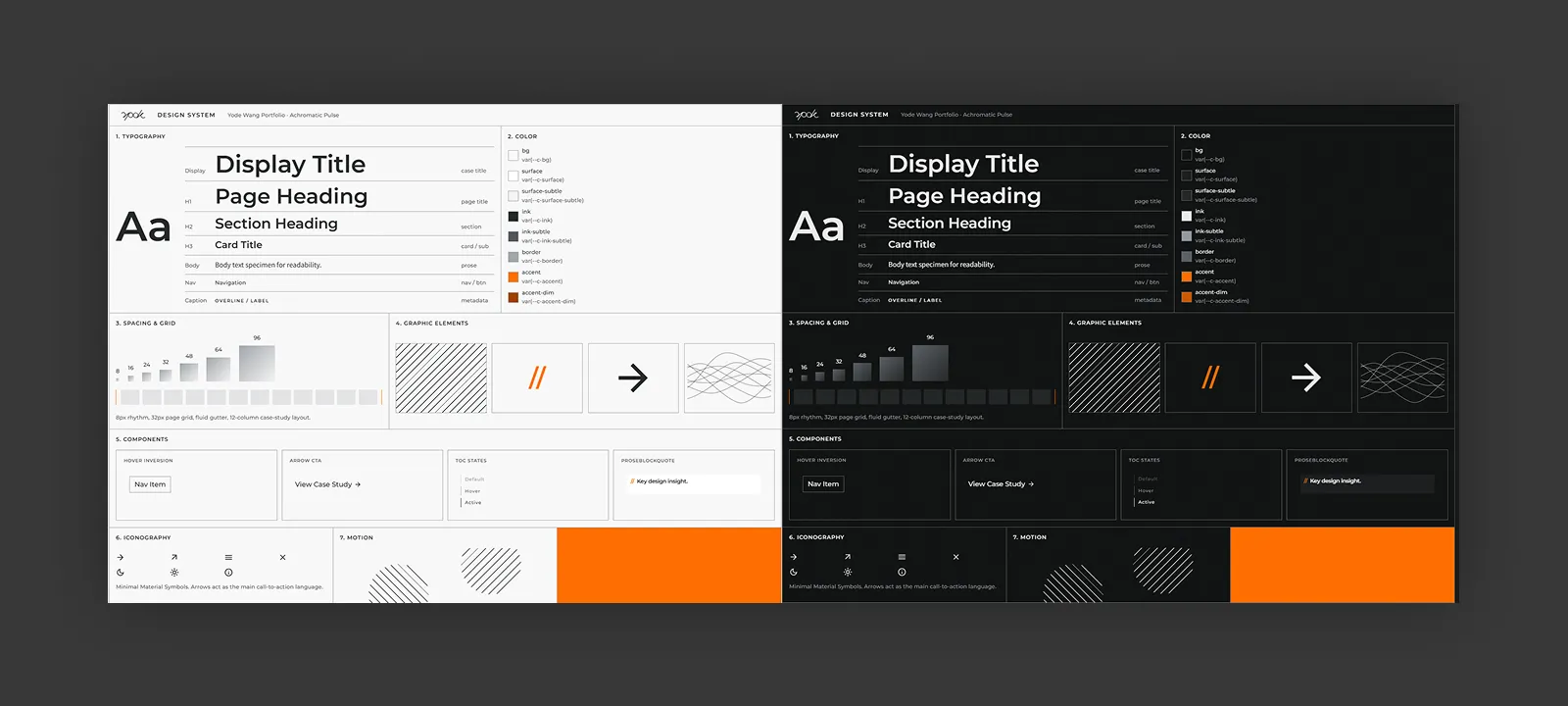
Swiss Style was my direction from day one: grid, sans-serif, high contrast, whitespace, minimal palette. Restrained, functional, rational.
The old site had this tendency but never fully committed. The new one amplifies it: heavier weight contrast, full-bleed layout, a more distinct voice. View Design System (opens in a new tab)
Development in four stages
Stage 1 · Laying the foundation
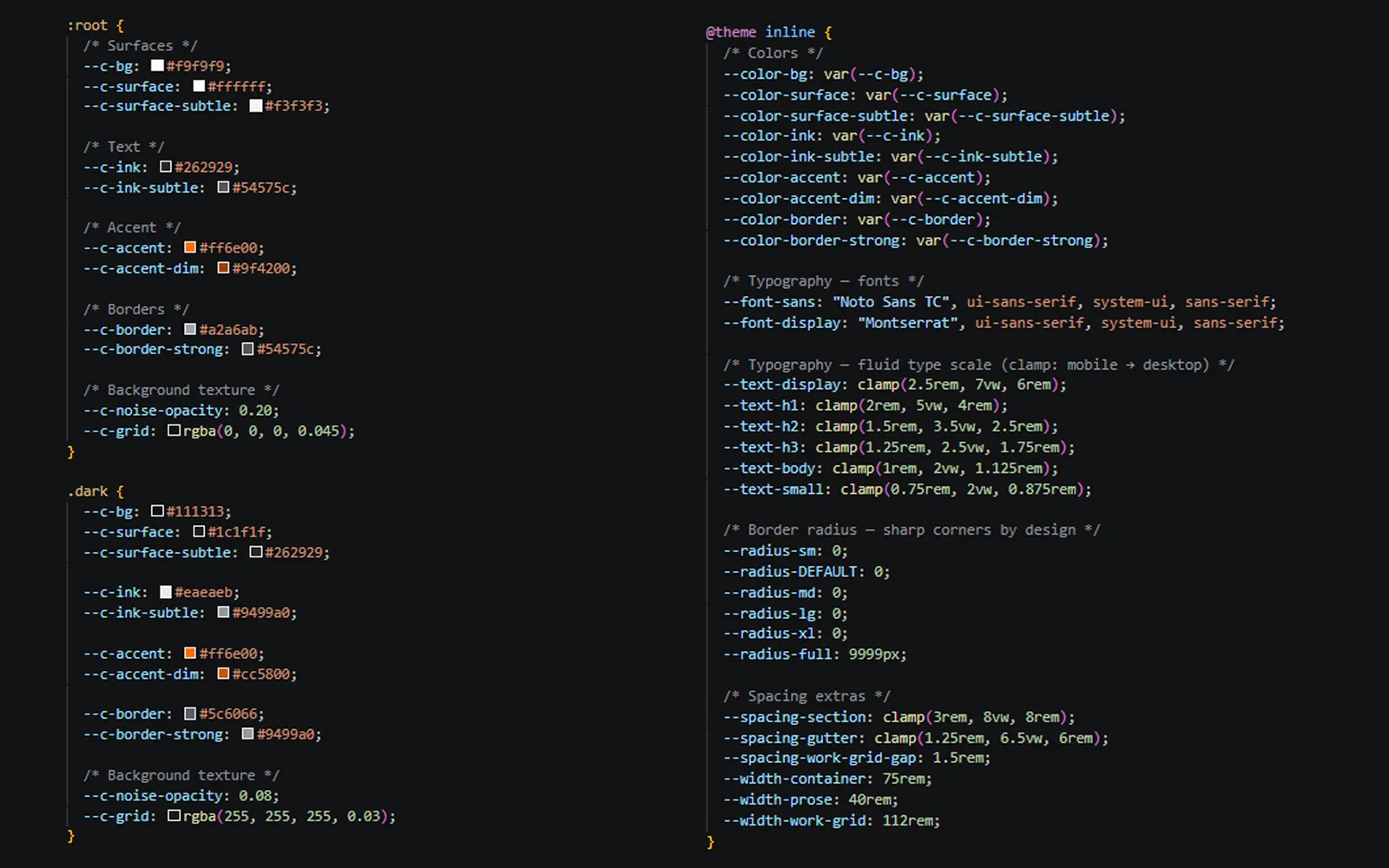
Infrastructure work: Nuxt project setup, package installation, Prettier, and the Tailwind token system. This stage established the visual foundation everything else would build on.
Stage 2 · Page skeleton and components
Homepage structure, work page routing, navigation, and i18n, all knocked out. This was also when the MDC component system came together, establishing the Markdown-to-page workflow.
Stage 3 · Interaction, visual, and features
This stage took the most time. Most of it was spent refining the interaction details and visual presentation.
1. Home Hero exploration
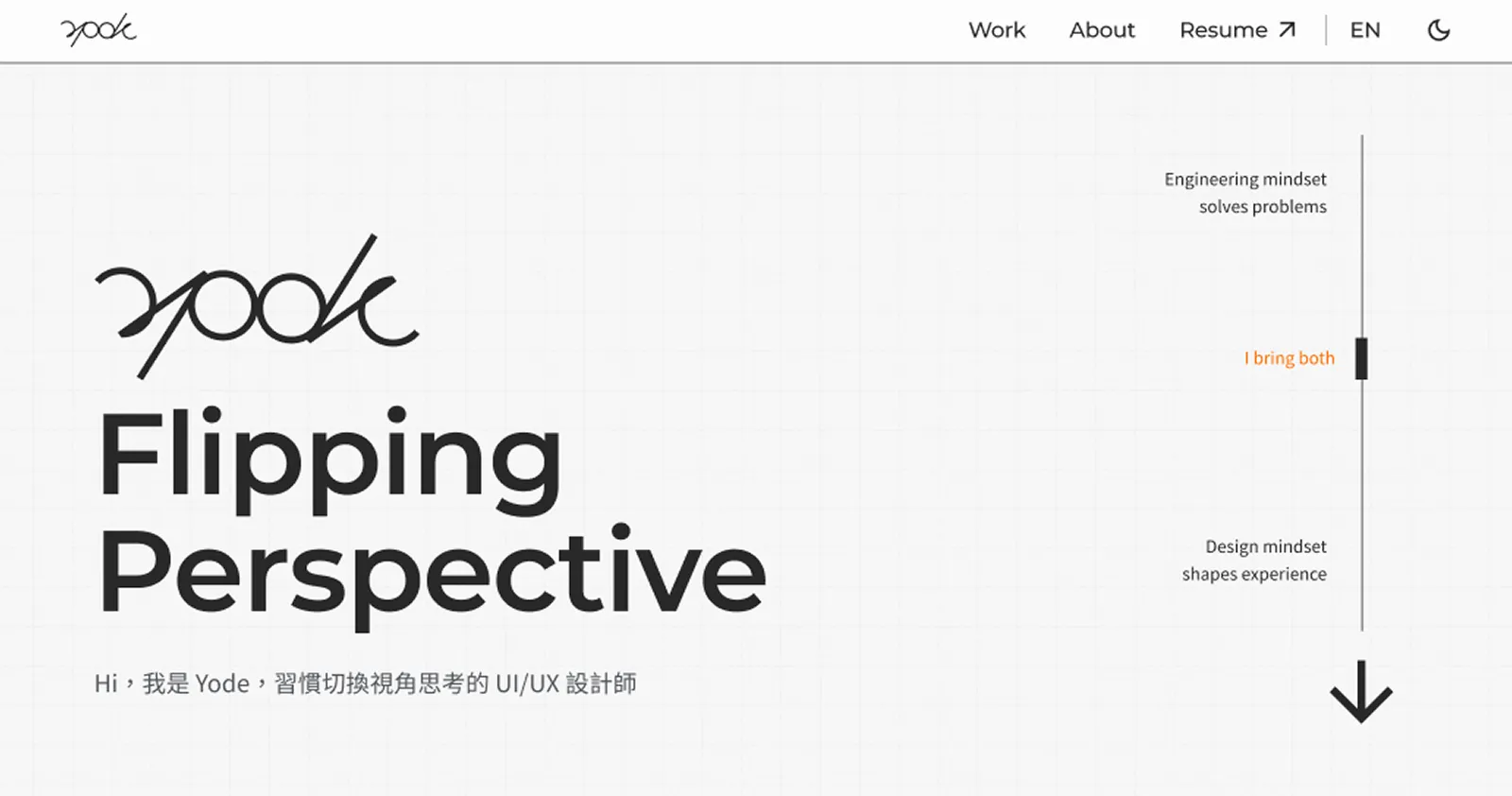
I wanted the Hero to communicate a strong "engineering thinking + design thinking" impression. It went through three versions:
The first idea was a slider moving between "Design Thinking" and "Engineering Thinking" poles. The interaction wasn't engaging, and what it communicated was a trade-off, a search for balance. What I wanted to say was "I bring both."
Version two had two circles reveal hidden text when they overlapped, a concept from visual cryptography, genuinely fascinating as a technique. But the implementation flickered constantly, was hard on the eyes, and only showed the text at perfect overlap with no sense of reveal.
Version three solved the flickering. "I BRING BOTH" emerges clearly from the intersection of the two circles. The concept and the interaction say the same thing. On mobile, a scroll-driven circle-overlap animation keeps the experience consistent across devices.
2. How I Think & Work · Line illustrations
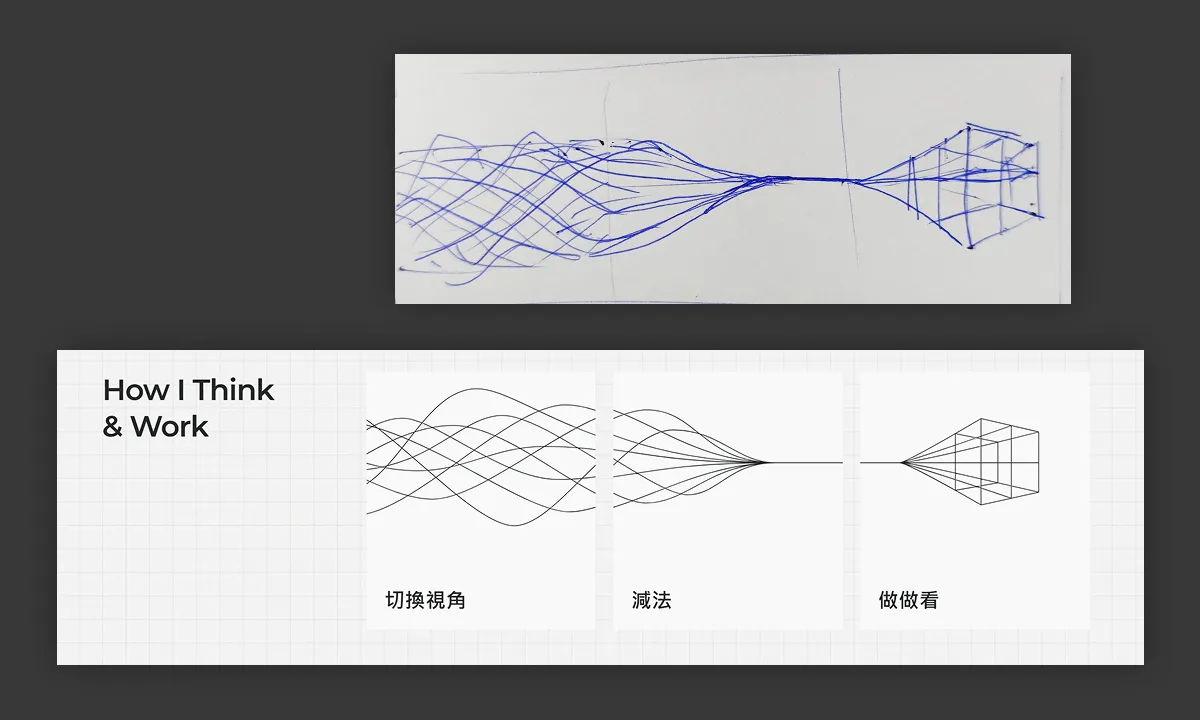
The three cards in How I Think & Work express my core beliefs: shifting perspective, subtraction, and trying things out. Starting from hand-drawn sketches and arriving at line illustrations, I wanted to capture the feeling of ideas taking shape.
3. Ask AI · Rather not read? Just ask AI
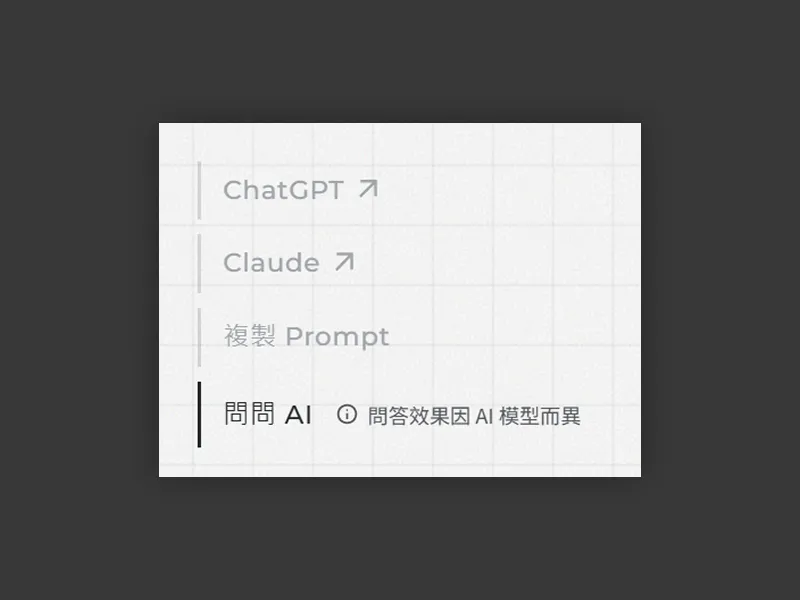
There's a small Ask AI feature in the bottom right of each work page. It generates a prompt with the case study URL so readers can drop it straight into ChatGPT or Claude. Since URL-embedded prompt support is inconsistent across platforms, there's a copy button alongside.
Stage 4 · Content migration and wrap-up
Last step was bringing the old site's case studies over. I wrote a skill to auto-convert the old content into MDC format, which made the migration much faster. After filling in SEO and accessibility, it shipped.
Done!
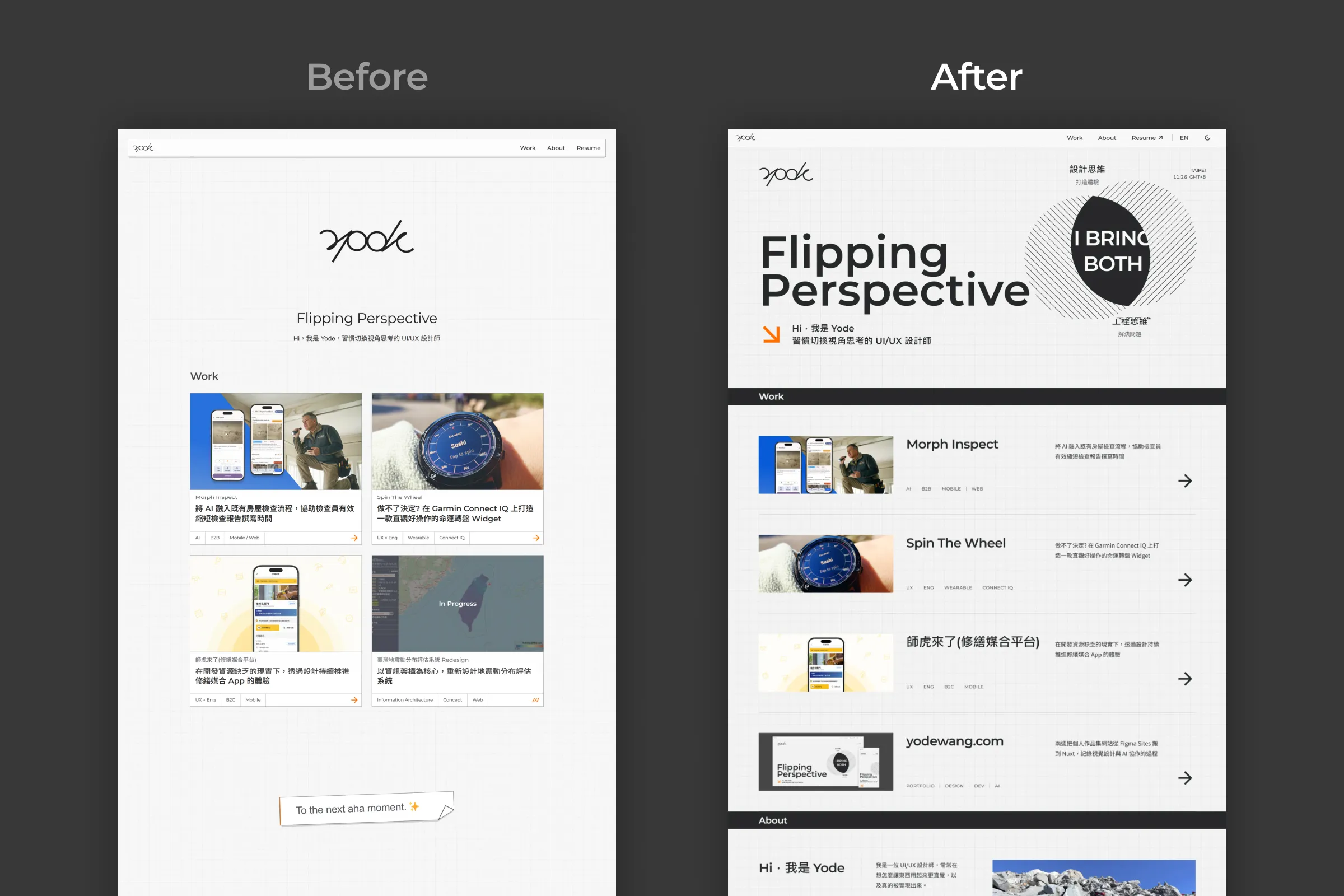
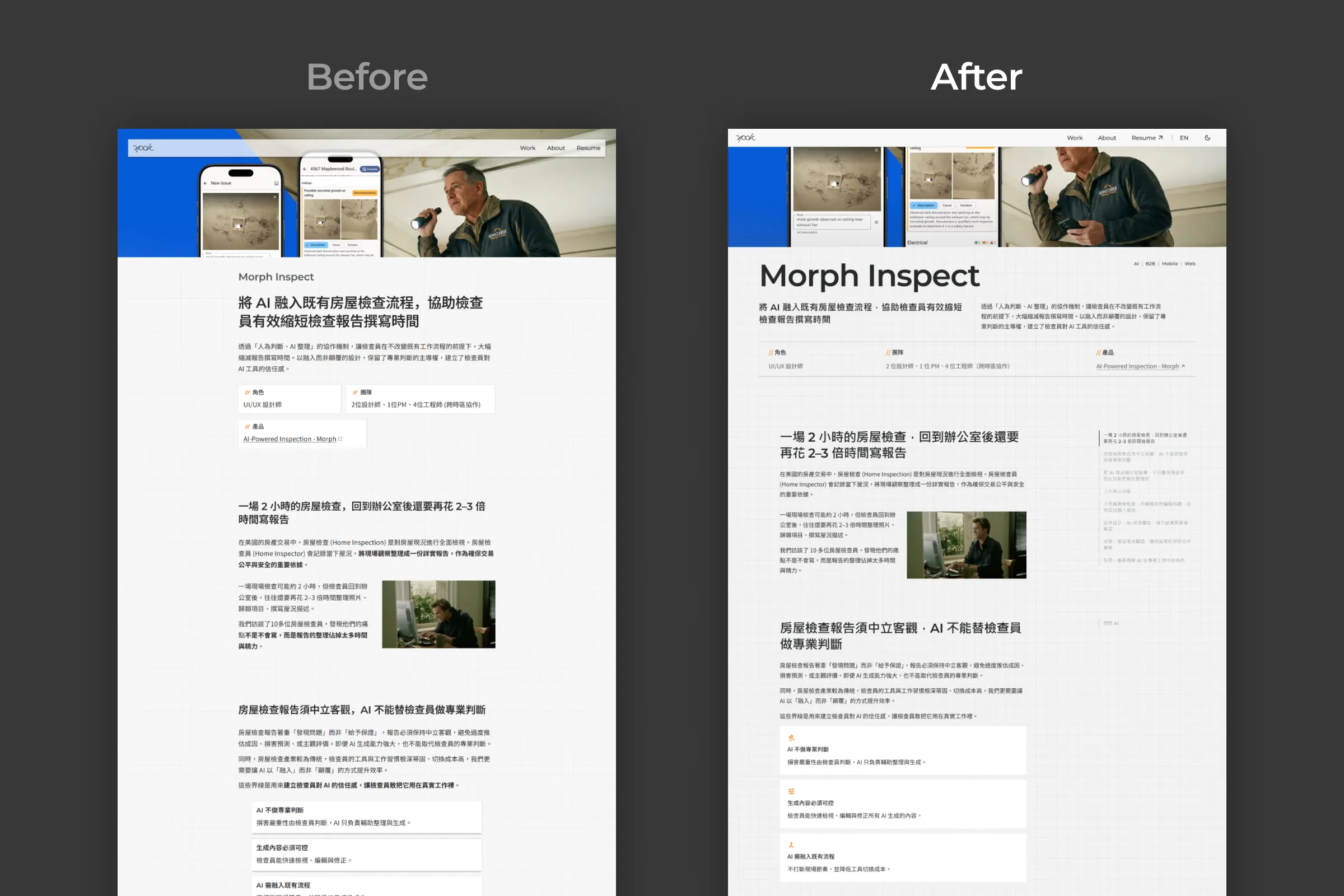
From static and understated to interactive, dark-mode-ready, bilingual, and visually distinct. The biggest difference between old and new is that this site went from being "a place to put work" to being a piece of work in itself.
AI sped up how fast the code got written, and it let the design keep adjusting during implementation. Design and code could iterate together at speed.